The npx I don't run
Someone posts a skill or an MCP server, it looks genuinely useful, and underneath it sits a single line: npx something-i-have-never-heard-of. I want to try it. I almost never do.
The reason is boring. That line runs code on the machine where my SSH keys, cloud credentials, tokens and wallets live. Written by someone I cannot identify, published an hour ago, and I would be running it because a screenshot looked good. An npm install script can fetch and execute whatever it likes before I have typed a thing. An MCP server can hide instructions in a tool description that my agent reads and I never see.
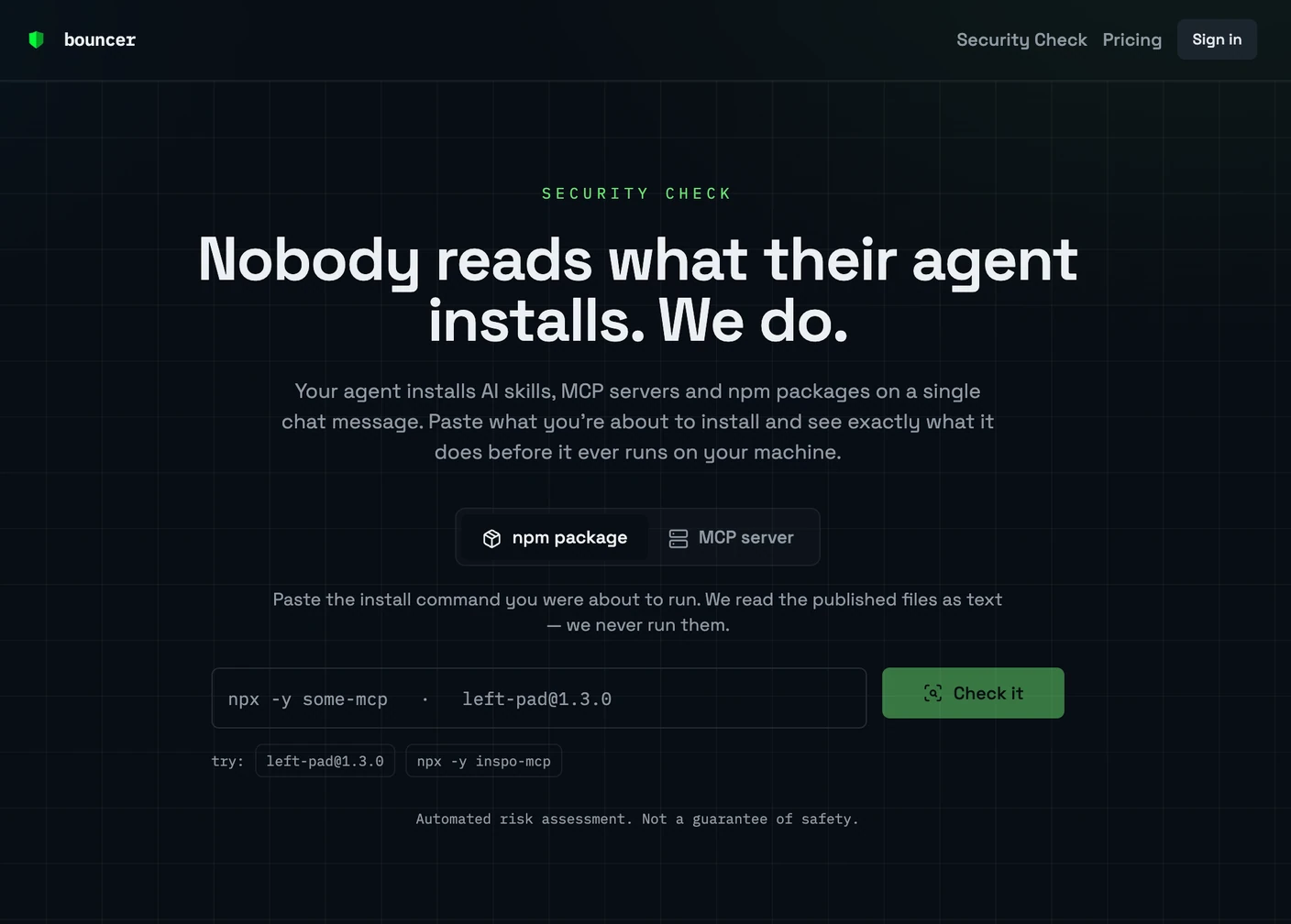
New on Bouncer Security Check Paste the npm install command or the MCP server URL you were about to run. It reads the published files as text, never runs them, and gives you a verdict before you install. bouncer.run/check →Nobody seems bothered. The install line gets copied, the thing works, everyone moves on. Coming out of crypto, where one bad signature is final and everybody has a story about someone who learned that, the shrug is hard to watch. You check first, or you check later for a lot more money.
The problem with being careful is that it mostly meant not trying things, which has a cost of its own. So I built the check. It looks for install scripts that fetch and run code, anything reaching for keys and credentials, where data is sent and whether the endpoint is known, release timing and maintainer history. For MCP it reads the tool list for hidden instructions, obfuscated characters and tools that try to steer an agent toward other tools, then fingerprints the list so you notice when it quietly changes.
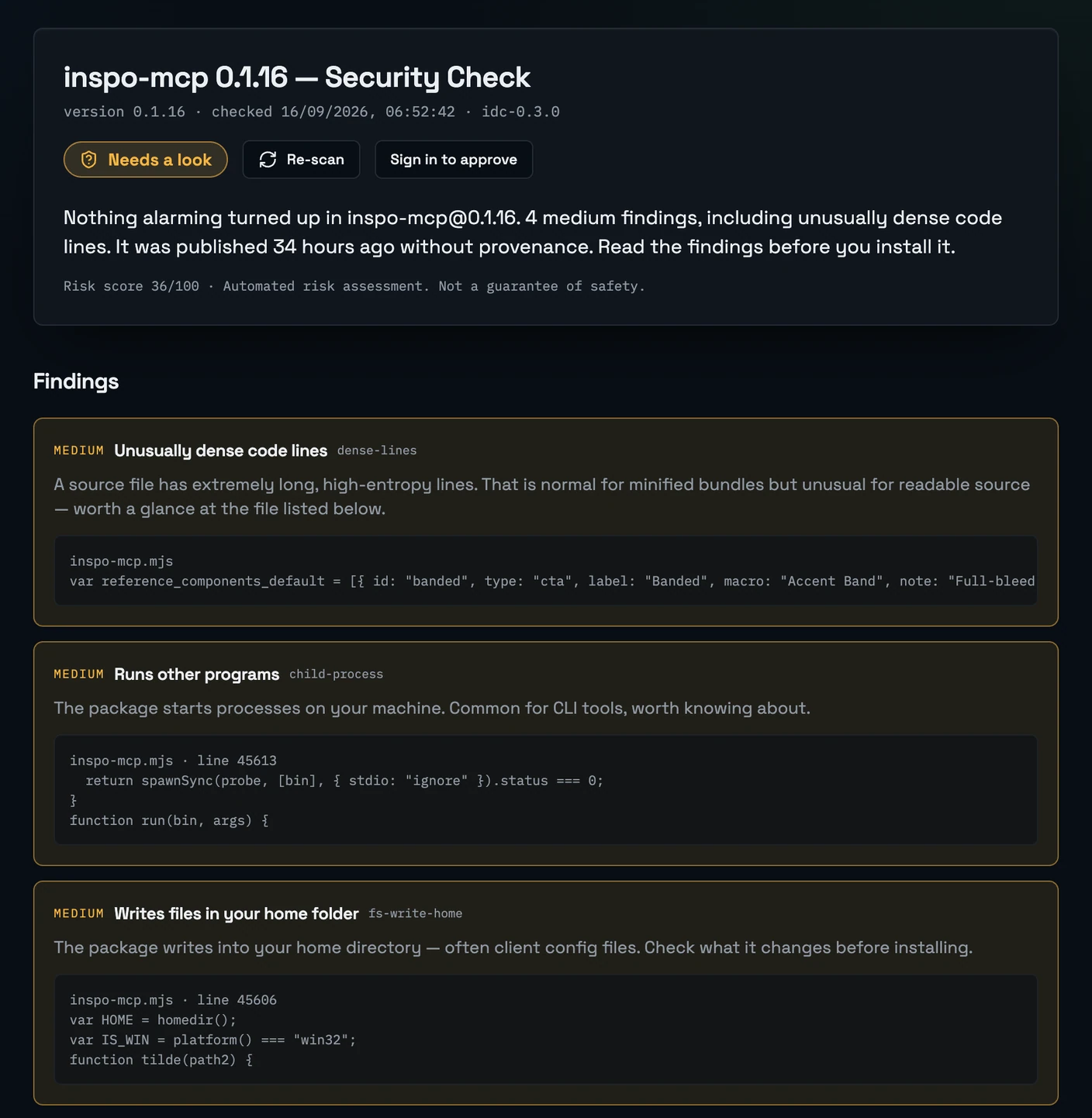
That is a real result, and it is the part I wanted: a sentence in plain language, then the line of source that produced it. Nothing alarming, four medium findings, 36 out of 100. Dense code lines and a spawnSync call are not proof of anything on their own, and plenty of honest CLI tools start a process and write a config file into your home folder. Knowing before you install is still the whole difference.
It is automated, so it is not a guarantee of safety. It is a readable verdict in a few seconds instead of a shrug.