Introducing Booth, a free voice recorder in your browser
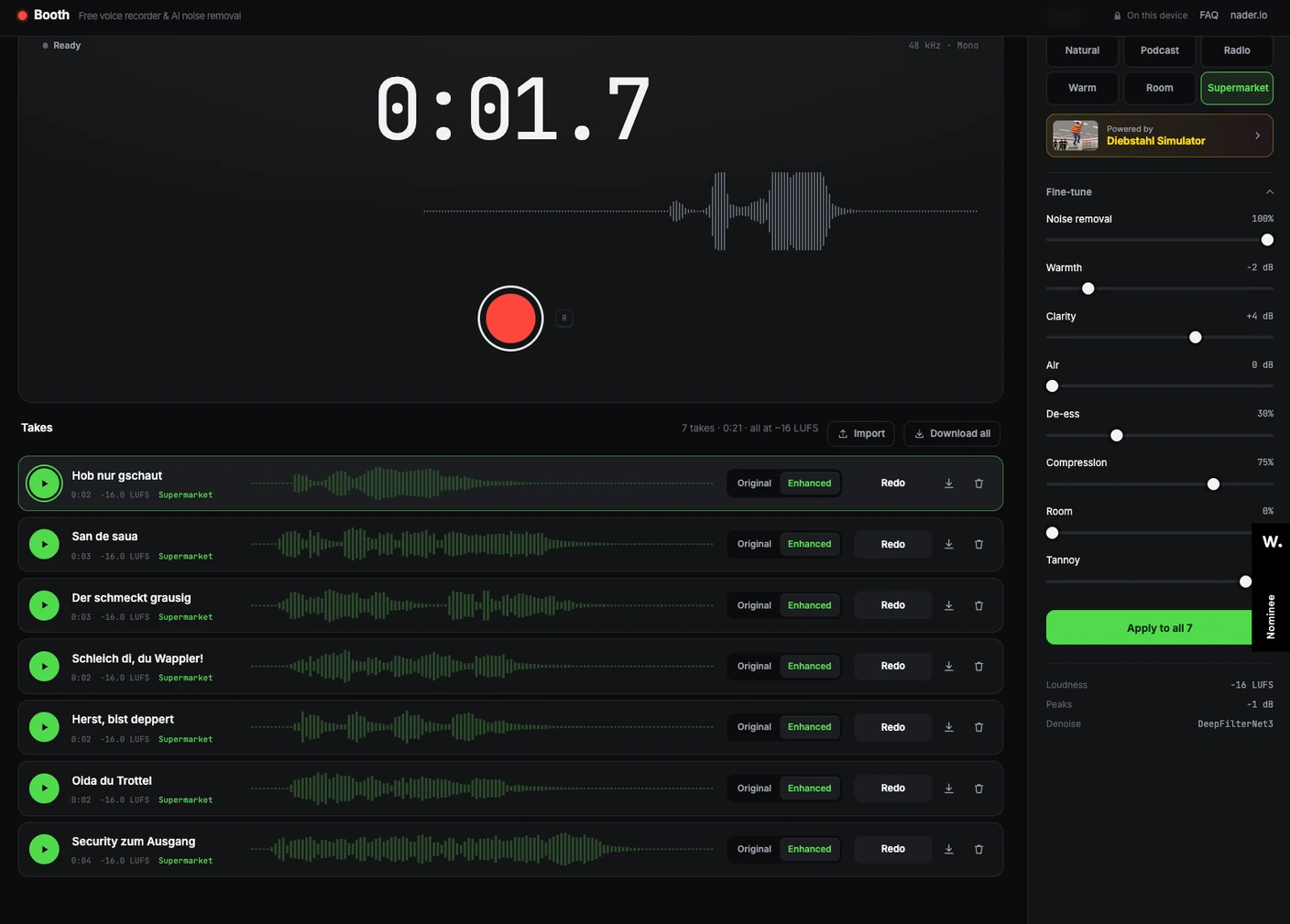
I was working on the Austrian version of Diebstahl Simulator, my shoplifting game. In Austria it’s called Fladern Simulator, and the people in the shop speak dialect.
I wasn’t happy with the computer-generated Austrian dialect. It just didn’t sound right.
So I wanted to record the lines myself. I didn’t have audio software, and I didn’t want to learn something complicated just to say “Hob nur gschaut” into a microphone. So I quickly built Booth.
What it does
- Press record and talk. Every take lands in a list.
- Pick a sound: Natural, Podcast, Radio, Warm, Room or Supermarket, which makes you sound like the tannoy in the game.
- Fine-tune it if you like: noise removal, warmth, clarity, compression, room and echo.
- Download a take as a WAV file, or all of them at once.
Background noise is removed by an AI model, and every take comes out at the same loudness, so a whole list of them plays at one volume.
The screenshot above is my session for the Austrian store: seven lines, all through the Supermarket preset. You can start with the same sound.
Get creative with loops
Once I had a list of takes, I wanted to hear them together. So Booth can play takes on top of each other and loop them:
- Layer starts a take without stopping the others.
- Loop plays takes round and round, with no gap at the seam.
- Sync keeps loops in time. The first take sets the tempo, or you type a BPM or tap it in. Every loop is cut or padded to whole beats or bars, so loops never drift apart, and a take you start waits for the next bar. Turn on Click for a metronome.
- Echo in Fine-tune adds repeats. With Sync on, the echo time snaps to the beat, like 1/8 or a dotted 1/8, and on a loop the echo rings on into the next turn instead of being cut off.
A few words, a hum, a click with your tongue, and you have a track. Here is what came out when I started playing with it:
Watch Abstract Noise Loopy on YouTube.
Nothing leaves your computer
Everything happens in your browser: the recording, the noise removal, the effects, the loops and the files. Nothing is sent to the cloud, there’s no account, and nobody hears your takes but you. It’s as private as it can be.
Free, in your browser Open Booth → Record a take, pick a sound, download the WAV.