Your first AI workflow: from idea to a website people can find
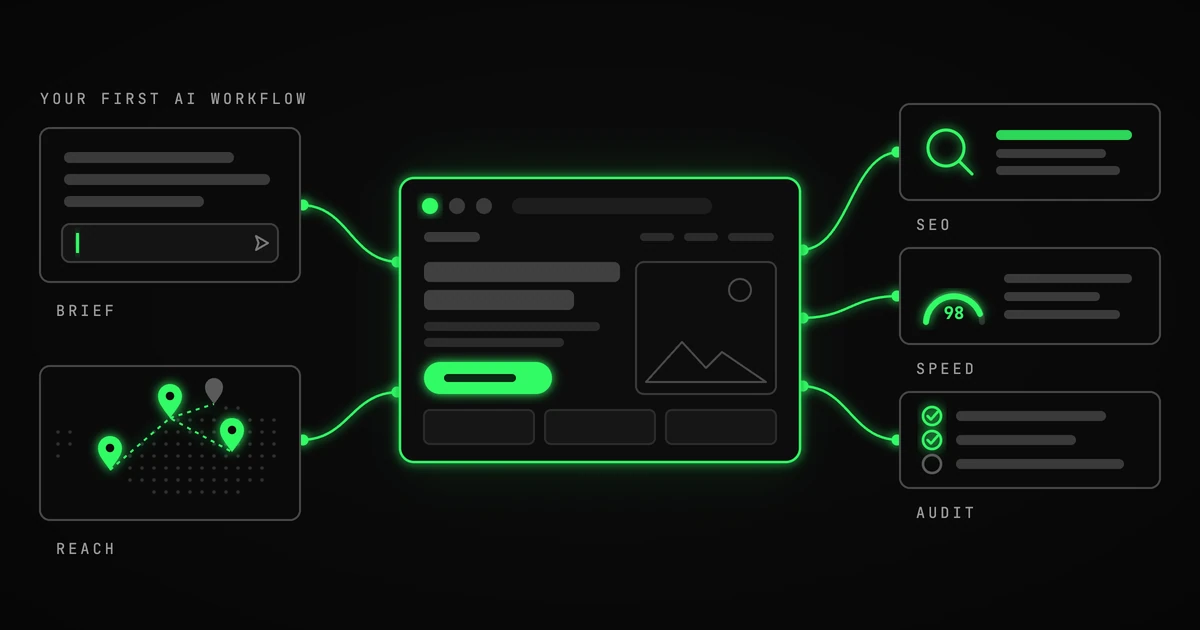
If you run a business and have barely used AI, start with one job you already need to get done. Something with a result you can look at, test and use.
A website is a good first project. Maybe you have a service that needs a proper home, an idea you want to test, or a business page you have been meaning to replace for two years.
Here is the workflow I would recommend: build a first version, check it with tools that give you specific feedback, and give that feedback back to the AI. Then use AI to research where your customers might find you.
You are still making the decisions. You just spend much less time doing all the work between them.
1. Give Lovable a useful brief
For a website or a first version of an online service, my recommendation is Lovable. Describe what you need, who it is for, and what someone should be able to do when they arrive.
Give it some real content: your services, your location, the questions customers keep asking, and your prices if you publish them. Add your logo and preferred colours if you have them.
Then let it come up with the design. Lovable does a great job of producing something slick when you give it room. You do not need to specify every button, animation or section layout in the first prompt. Be clear about the business and the outcome; let it propose the mechanics.
For example:
Build a website for my garden maintenance business in Berlin. We help busy homeowners with regular garden care and seasonal cleanups. The main goal is for visitors to request a quote. Use the service descriptions below, leave space for our own project photos, and make it easy to use on a phone. I like dark green and warm white. Choose a clear layout that suits the business. Ask me for any missing business facts instead of inventing them. Here is our content: [paste content].
Once you have something to look at, give concrete feedback. “Make the quote request easier to find” is useful. So is “Most customers ask whether we remove the garden waste; add our answer near the services.”
Before publishing, walk through it as a customer. Read the text, try the buttons, submit the form and check that the enquiry actually reaches you. For an online service, test the whole task it promises to perform. A convincing screen is only the start.
2. Use Lovable’s SEO review
SEO means search engine optimization: helping search engines understand your pages so they can show them for relevant searches.
Run Lovable’s built-in SEO review. It checks things such as page titles, descriptions, headings, image descriptions and whether search engines can access your content.
Ask it to work through the findings:
Review this website for SEO and fix the issues you find. Keep the text accurate to our business and explain anything that needs input from me. Prioritize our homepage and service pages.
Review the changes, then publish the updated version. This gives you a useful first pass before you bring in an outside check.
3. Check performance with Google PageSpeed
Open Google PageSpeed Insights, enter your published website address and run the test. Look at both mobile and desktop results.
You will get scores and suggestions about what is slowing the page down. A new website may not have enough visitors for the real-user data section; you can still use the test results. Google explains the difference here.
Copy the detailed findings into Lovable, including the page address you tested. A score alone gives it very little to work with.
Here are the PageSpeed results for [page URL]. Improve the mobile performance, starting with the biggest issues in this report. Keep the design and enquiry form working. Explain what you changed and flag anything I need to adjust outside Lovable. [Paste findings.]
Check the result, publish the changes and run the test again. Test an important service page as well as the homepage. Aim for a fast, usable site; there is no need to spend your entire afternoon chasing the last point.
4. Run a broader audit with squirrelscan
Next, use squirrelscan to audit the published site. Its cloud audit gives you a way to start in the browser.
It checks SEO alongside areas such as performance, accessibility and how easily AI systems can read your site. This is useful for the technical side of GEO, or generative engine optimization: making your business easier to discover and understand in AI-generated answers. An audit cannot guarantee a mention in ChatGPT or a Google ranking.
Take the report back to Lovable. Paste the findings or attach the report in a supported format:
Here is a squirrelscan audit of our website. Work through the relevant findings, starting with problems that stop search engines or AI tools from reading our pages, broken links and missing page information. Preserve our design and business facts. Explain what you fixed, what you could not fix, and what needs my input. [Add report.]
Review, publish and audit again. You now have a repeatable way to improve the website instead of guessing what “make it better” should mean.
5. Find places where your customers already are
Once the website works, use ChatGPT or Claude with web research enabled, or ask Lovable if web research is available in your setup, to find relevant places to introduce your business.
Think local business directories, industry associations, specialist publications, newsletters and businesses whose services complement yours. A backlink is simply a link from another website to yours. The most useful opportunities also put you in front of people who might actually need your service.
Give the research some boundaries:
Research 15 relevant places to promote my garden maintenance business in Berlin: local directories, neighbourhood publications, property management businesses and potential partners. For each, provide the website URL, why it fits, and a public submission or contact page. Check whether listings cost money and mark anything you cannot verify. Prioritize relevance to Berlin homeowners. Do not invent contact details.
Open the links and check the shortlist. Pick a few strong matches, then ask AI to help draft a specific introduction for each. Give the recipient a real reason to care: a useful contribution, a relevant service or a sensible partnership.
Keep a simple record of whom you contacted, when, and what happened. That turns a research session into work you can follow up on.
Save the workflow that worked
Keep your business description, the prompts that produced useful results, and a short checklist for reviewing the output. The next time you add a service or launch an idea, you already have a starting point.
The same habit works for other jobs: preparing quotes, drafting customer replies, researching suppliers. Give the AI the context, ask for a concrete result, check it, and feed back what needs to change.
Start with one task this week. Finish it, keep what worked, and use it again.
Need a hand, or just want to talk it through? Book a call with me → Whether you are stuck on the first prompt, want a second pair of eyes on your website, or are wondering where AI fits in your business, pick a time and we will work it out together.